Link your speaker to A2D2 using the A2D2 Alexa skill and your device code.
Overview
Audio source → A2D2 → Speaker
- Enable the A2D2 skill in the Alexa app.
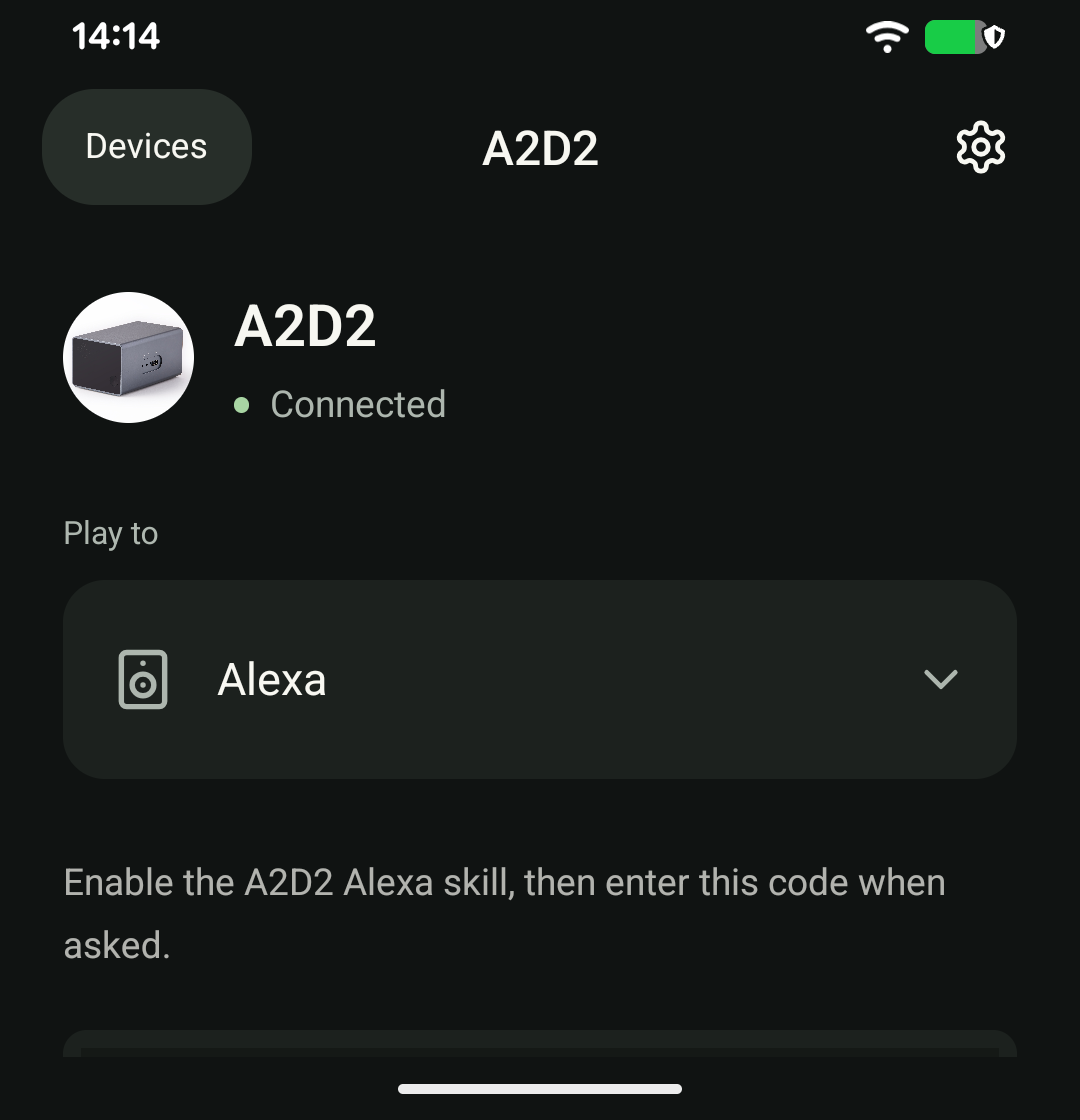
- Open A2D2 and choose Play to → Alexa. Keep the device code on screen.
- Say, “Alexa, open A2D2.”
- When asked, give Alexa the code shown in the app.
- Start your music source and adjust the Alexa speaker’s volume.
After linking, say “Alexa, open A2D2” to listen again. Keep A2D2 and the speaker connected to your home network, with internet access available for Alexa.
Can I use an Alexa speaker group?
This integration supports a single Alexa speaker. Do not select it expecting synchronised Alexa multi-room playback.
Alexa cannot link or play
Check the device code, that the skill is enabled, and that the speaker responds to other Alexa requests. If it still fails, tell support the Alexa device model and the exact response.
Still stuck? Contact support with your phone model, app version, A2D2 software version, router or speaker model, and the exact message you see. Never send your Wi-Fi password.
Alexa says it is playing, but there is no sound
Check the source and Echo volume. Note the exact response, Echo model, whether Alexa+ is enabled, how long audio plays and whether it stops suddenly or fades, then contact support.
The A2D2 Alexa screen shows your linking code; Echo devices are controlled from Alexa and do not appear as selectable speakers here.
Was this article helpful?
That’s Great!
Thank you for your feedback
Sorry! We couldn't be helpful
Thank you for your feedback
Feedback sent
We appreciate your effort and will try to fix the article