Send your A2D2 audio to a Sonos speaker or an existing Sonos group.
Overview
Audio source → A2D2 → Speaker
- Set up your speakers in the Sonos app and connect them to the same local network as A2D2.
- Start your music source.
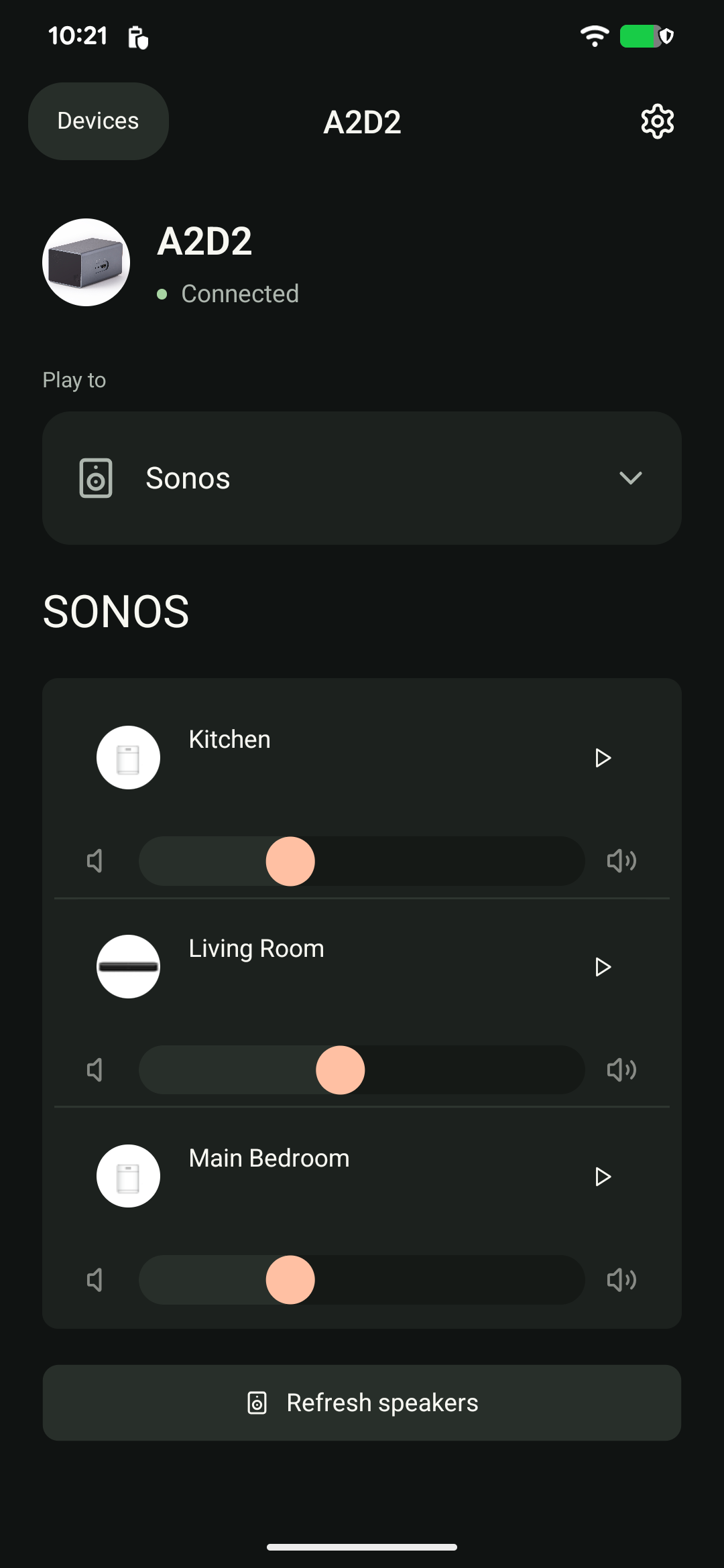
- In A2D2, tap Play to → Sonos.
- Tap Play beside the speaker or group you want. Use its volume control to adjust the level.
Play in several rooms
Create or change the group in the Sonos app, then return to A2D2 and tap Refresh speakers. Grouping stays within your compatible Sonos system; selecting separate outputs is not a substitute for a Sonos group.
A speaker is missing
Check it appears and plays normally in the Sonos app, then refresh in A2D2. Avoid guest-network isolation between A2D2, the phone and the speakers.
A2D2 supports Sonos S1 and S2 systems. The speakers you can group together depend on your Sonos system.
Playback may take a few seconds to start. If the app says playback is not confirmed, check whether the speaker is already playing before pressing Play again.
Still stuck? Contact support with your phone model, app version, A2D2 software version, router or speaker model, and the exact message you see. Never send your Wi-Fi password.
Do I add A2D2 as a Sonos product?
No. Configure the speaker in Sonos, then choose it from Play to → Sonos in A2D2. A2D2 is the audio source, not a Sonos-branded product to enrol through Add a product. If a portable speaker disappears, check whether it is awake and reachable in Sonos before refreshing A2D2.
Roam and home-theatre systems
If Roam disappears while idle, check Battery Saver in its Sonos battery settings. With Battery Saver enabled, portable Sonos products can power off after 30 minutes of inactivity. Turn it off if you want Roam to sleep and remain available to wake. Sonos battery settings.
If a home-theatre soundbar is missing, first check its room in Sonos. If that soundbar supports AirPlay, try that route while support checks Sonos discovery. Ethernet-connected Sonos speakers can work on the same local network.
For stale names or a speaker that no longer starts, restart the router and mesh nodes, wait for the network, then restart the speakers and A2D2 and refresh the list.
Was this article helpful?
That’s Great!
Thank you for your feedback
Sorry! We couldn't be helpful
Thank you for your feedback
Feedback sent
We appreciate your effort and will try to fix the article