Use a line-level input on the amplifier or powered speakers.
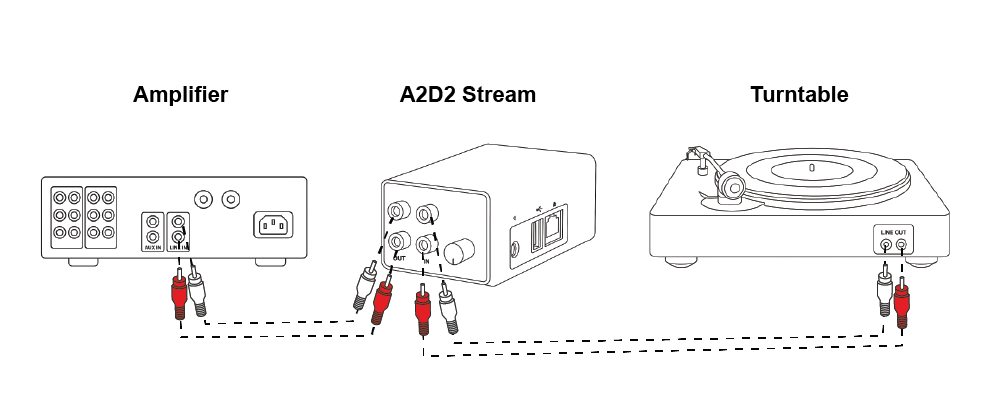
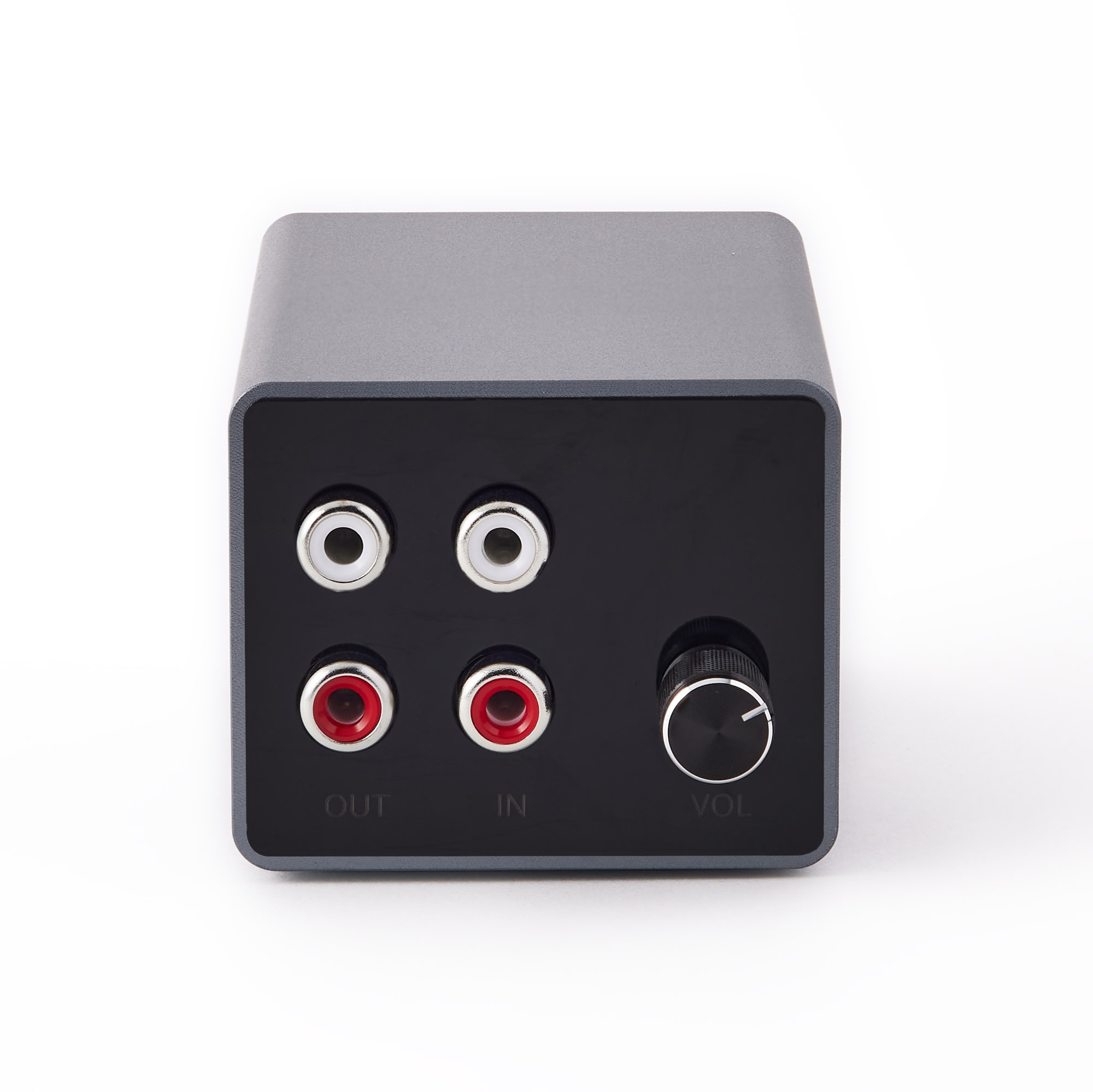
- Connect A2D2 OUT to AUX, LINE IN or ANALOG IN—not PHONO or speaker terminals.
- Select that input on the receiving system and check mute and volume.
- For distortion, lower the rear wired-output level control and raise it gradually. This control is for the wired output, not the network speaker volume.
- Check the cable matches the input. A normal stereo 3.5 mm TRS plug has two insulating rings; microphone/headset adapters are not automatically interchangeable.
Wired output and streaming can be used together, but they are not synchronised. If you hear an echo in one room, use one route there. Tell support whether streaming is clean when only the wired output sounds wrong.
If the receiving system has an input-level trim, reduce it when the input overloads. If there is silence, raise the A2D2 wired-output level gradually as well as the receiver volume. An all-in-one system without REC OUT can sit after A2D2: source → A2D2 IN, then A2D2 OUT → the system’s AUX or LINE IN.
Was this article helpful?
That’s Great!
Thank you for your feedback
Sorry! We couldn't be helpful
Thank you for your feedback
Feedback sent
We appreciate your effort and will try to fix the article