Copy A2D2’s live audio address into a compatible player on your home network.
Overview
Audio source → A2D2 → Home network → Speaker
Copy the address
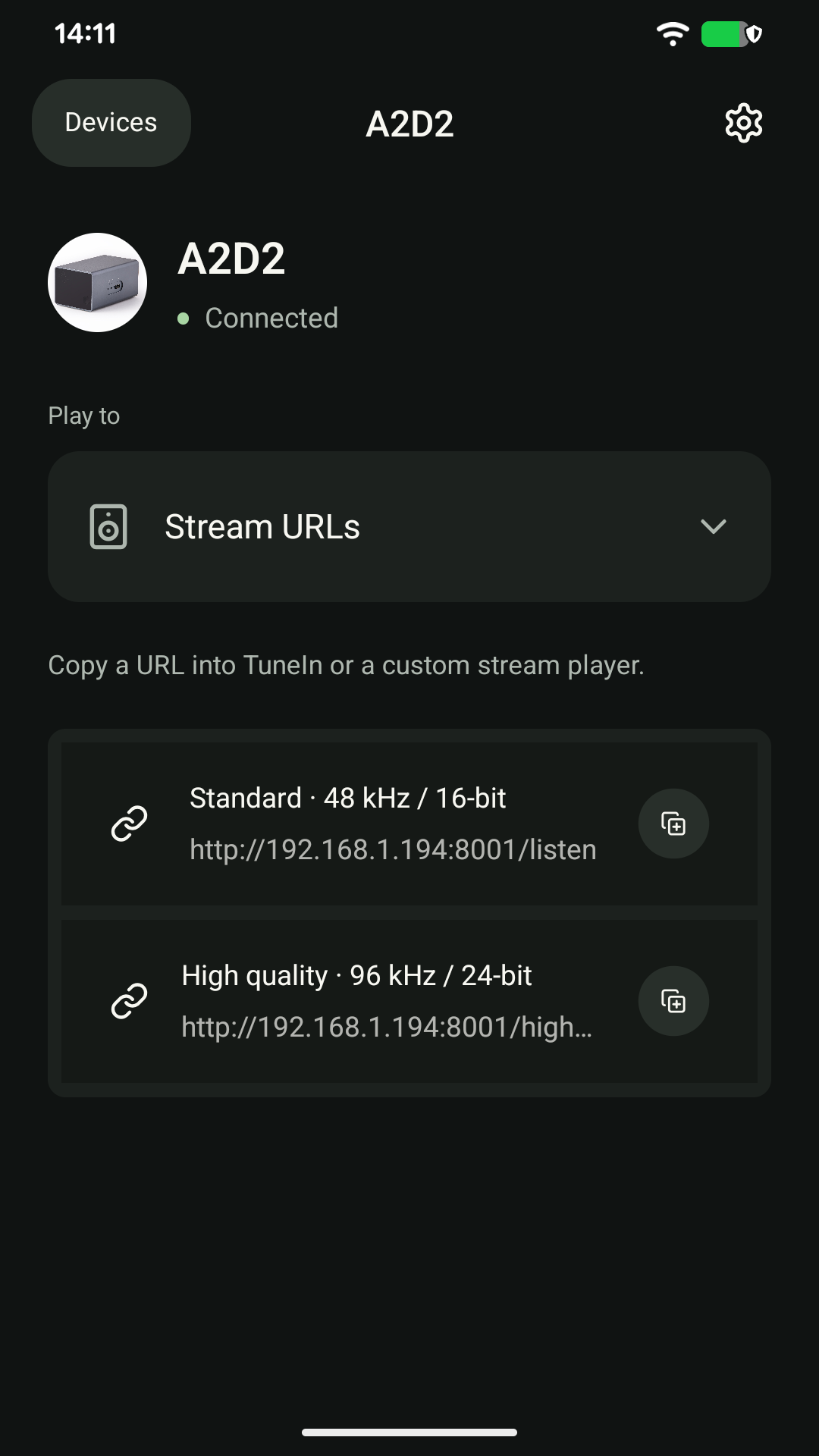
Start your turntable or other source. Open A2D2 in the app and choose Play to → Stream URLs. Tap the copy button beside Standard, then paste the address into your player’s network-stream or custom-URL option. Start playback in that player.
Which stream should I choose?
Try Standard first. Use High quality only if your player supports that stream and your network can play it reliably. The name alone does not establish the format received by your player. These addresses carry the live input, not a saved recording.
If it does not play
Keep the player and A2D2 on the same local network. Check the source is playing and the player is not muted. Copy the address again from the app: an old bookmark may point to a previous IP address. If Standard works but High quality does not, use Standard and give support the player name, version and exact error.
Keep the address on your home network
This is not an internet radio link. Do not make A2D2’s streaming port or device API accessible from the internet, and do not post the address publicly.
Was this article helpful?
That’s Great!
Thank you for your feedback
Sorry! We couldn't be helpful
Thank you for your feedback
Feedback sent
We appreciate your effort and will try to fix the article